
Audiovisual work in the learning centres
From GoPros to Rode microphones, from podcasting to video. Your learning Centre offers more than just books and workspaces. The range of audiovisual materials, recording studios and CodesCool is ready for you to use.

Check the AVM in Cheqroom
You forgot your laptop, need to record audio professionally, or want to use an iPad for an assignment. You can borrow all these materials, and much more, for free at your learning centre. So convenient! How does it work? Just log in to Cheqroom (choose SSO), and reserve your materials. Then pop into your learning centre and pick them up.
Experiment in the recording studios
There's no better place to co-create than in the recording studios. Almost every learning centre has a podcast and recording studio. Ideal for those who like to give their assignments an original, creative twist. Did you know that you can use the studios completely free of charge and that the manual will help you record your podcast without any problems?
Currently, the learning centres in Aalst, Sint-Niklaas and Brussels have a podcast and recording studio. The recording studio in Aalst is equipped with a green screen. In the future, every learning centre will have its own studios. Would you like to make a reservation? Then book via TimeEdit. Students from other campuses are also more than welcome.
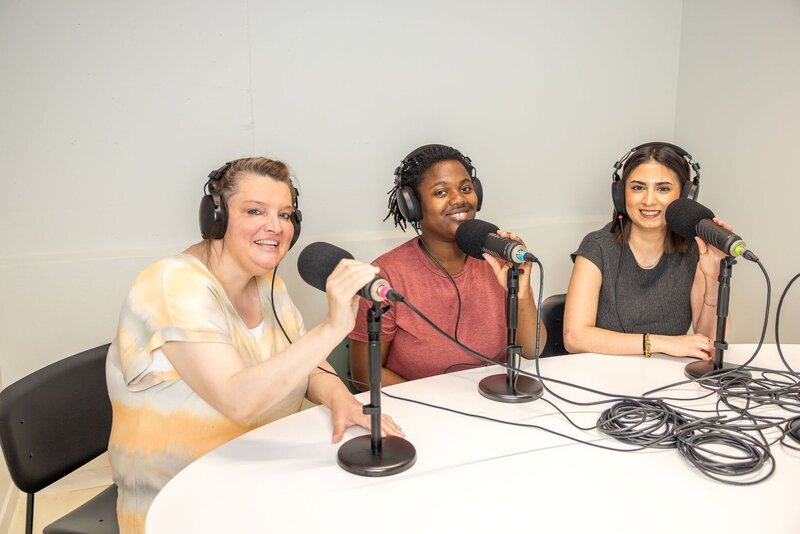
Co-creation, also in the learning centres
Aspiring teacher? Discover CodesCool
CodesCool enables you to teach programming, robotics and computational skills to your preschool or primary school children. CodesCool lessons are therefore ideal for integrating into your internship. Currently, only the learning centre in Aalst has a CodesCool collection. Students at the Aalst campus can reserve the material via Cheqroom.
Use the digital whiteboards or individual workstations
Practising your bachelor's thesis, group work or presentation is so easy with the digital whiteboards. The learning centre in Brussels has several digital whiteboards in the collaborative learning spaces. The learning centre in Aalst has three in the collaboration rooms. In addition, there are individual (quiet) workstations in Aalst, Brussels and Ghent, some of which are equipped with an external screen. Check About Centres to find out if you can reserve workstations on your campus.
Need extra guidance? Book a Learning Session!
Want to get started on your assignment quickly with our audiovisual equipment? Make it easy on yourself and book a Learning Session! During these short guidance sessions, a team member will be happy to explain our audiovisual equipment, Cheqroom, the recording studios, and much more.

Frequently asked questions about audiovisual media
- Search for Cheqroom in the App Store (Apple) or Play Store (Android)
- Or go to the desktop version from the student portal
- Install Cheqroom
- Enter your Odisee email address and select Log in with SSO
- You will be automatically redirected to the Odisee environment to confirm your details
- Now select your campus and reserve your equipment!
Important: always use Log in with SSO!
You may borrow a maximum of 5 AVM items. We make an exception for CodesCool, so that your entire internship class can experiment with it.
The maximum loan period for AVM is two weeks. You cannot renew. Return your items on time so that you do not inconvenience your fellow students.
Materials from the CodesCool collection may be borrowed for longer periods for use during your internship.
Odisee offers various rental and purchase options. The learning centres never lend out audiovisual materials for longer periods.
You are not allowed to borrow audiovisual material for private use. So, old-school disposable cameras are the way to go.
Report the loss or damage to your learning centre as soon as possible. Please note: you are responsible for the materials during the loan period.
So nice of you to help, but we still recommend that he or she makes the reservation in their own name. The person who reserves the equipment is responsible for it. If the reservation is in your name and your fellow student loses or damages the equipment, you will be liable for it.
You can find the manuals on this overview page.
If you borrow a laptop from the learning centres, you must first log in with your Odisee account on campus. To do this, you’ll also need to connect to Campusroam. You can then use the laptop at home with your Odisee account.